
The event ends.The night doesn't.
A shared board to decide where to go after the event. Create the QR, share it, and let everyone choose their plan.
- No signup
- No app to download
- Everyone chooses
How it works
Three moves. Then go.
Create and share the QR
Name your event, add nearby places, and put the QR on screen before everyone leaves.
People suggest and choose
Attendees scan the QR, suggest places, and tap I’m going. See how many people plan to go to each place.
Open directions. Keep talking.
Everyone opens the route to their chosen place. You can change your choice at any time.
The shared plan
Where’s everyone going?
See nearby places and how many people plan to go to each one. Choose yours or suggest another. No account or group chat needed.
- Anonymous by default
- Nearby places
- Change your choice anytime
Interactive example · simulated people
Choose a place. Tap again to cancel.
For the organizer
Five minutes left in the meetup.
Put the QR on screen. Those who want to keep talking scan it and choose where to meet next.
Create an After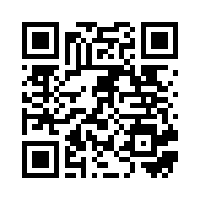 Scan the QR to choose a placeExample QR · opens the demo
You can also check how many people tapped I’m going and how many opened directions.
FOR ORGANIZERS
A good ending starts here.
Built for event endings
The best conversations start after the last slide.
Put the QR on screen before everyone leaves. Each person chooses where to go.
Create an After